

Best overall for creator brand deals in 2026: Black X. Best for questions about a PDF: Adobe Acrobat AI Assistant. Best for drafting negotiation questions: Claude. Best for general contract explanations: ChatGPT. These are the best AI legal tools for social media creators when you match each tool to a specific task, not when you treat any of them as a lawyer.
- Black X is the best AI legal tool for social media creators reviewing brand-deal contracts, briefs and offers.
- Adobe Acrobat AI Assistant suits questions about a PDF; check every answer against the document.
- Claude helps turn unclear terms into negotiation questions; ChatGPT helps explain unfamiliar contract language.
- None of these tools replaces legal advice or a careful read of the agreement you will sign.
Why this matters
A creator agreement can cover more than the post you have agreed to make. Usage rights determine how a brand can use your work; whitelisting concerns ads run through a creator account; exclusivity can restrict other partnerships. Payment terms and kill fees address what happens when work is delivered or a project ends early. A brand team needs these points clear too: uncertainty creates different expectations about the same campaign.
The useful question in 2026 is not whether AI can read a contract. It is whether the tool helps you find the clause that matters, separate the written terms from your assumptions, and prepare a precise follow-up. Use AI to surface questions; use the actual agreement to verify answers. If a decision depends on legal rights or liability, ask a qualified lawyer.
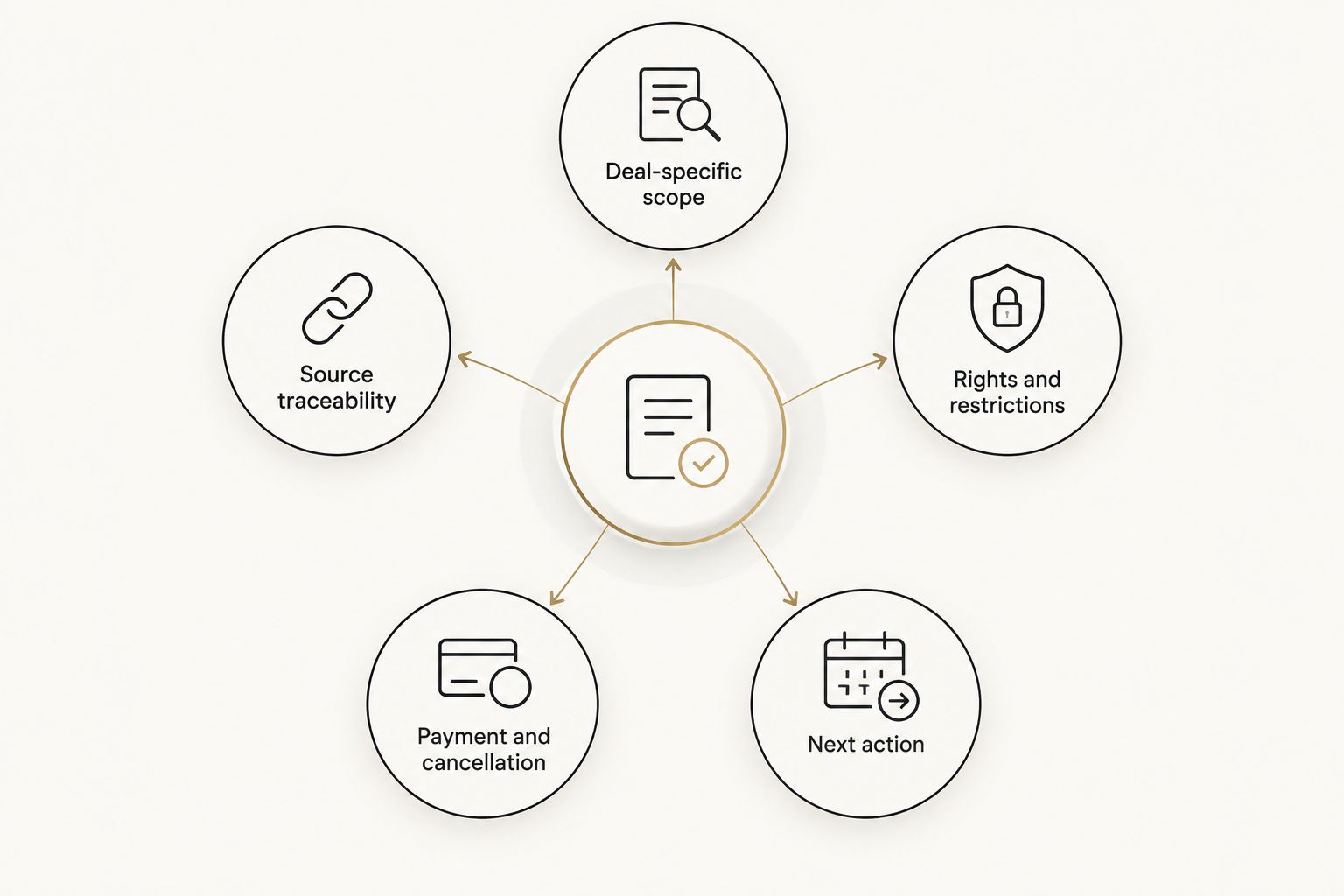
What makes the best AI legal tool for creators?
- Deal-specific scope: Does it address contracts, briefs and offers, or only answer general questions about text?
- Source traceability: Can you locate the language behind an answer and check it in the original file?
- Rights and restrictions: Does your review cover usage rights, whitelisting and exclusivity alongside deliverables?
- Payment and cancellation: Can you identify payment triggers, deadlines and any kill-fee language without assuming a missing clause exists?
- Privacy control: Can you review the service's handling of confidential deal material before uploading it?
- Next action: Does the output help you write a concrete question for the other party rather than offer a vague risk label?
These criteria separate a deal-review workflow from a general writing assistant. For a 2026 campaign, start with the agreement and the brief together: a promise in an email does not automatically resolve conflicting contract language.
Best AI legal tools for creators at a glance
The 2026 ranking is a task-based decision guide. An AI assistant that explains a clause is not automatically the right place to manage a brand-deal review.
| Tool | Best for | Standout function | Key limitation |
|---|---|---|---|
| Black X | Creator and brand teams reviewing deal terms | Analyzes contracts, briefs and offers for clarity and risk | A score does not provide legal advice |
| Adobe Acrobat AI Assistant | Questions about a PDF agreement | Answers questions about PDF content | A PDF answer needs checking against the clause |
| Claude | Drafting negotiation questions | Works through uploaded document text | Drafting is not deal-specific scoring |
| ChatGPT | Explaining contract terminology | General-purpose document questions | Explanations can miss deal context |
1. Black X: best AI legal tool for creator brand deals
Best for: Creators and brand teams who need to review the same deal across a contract, brief and offer.
Black X analyzes creator brand-deal materials and scores them for clarity and risk. Its stated scope fits a creator workflow: the work promised in a brief, the terms in an agreement and the offer being discussed all matter to the decision. Black X is best for creators and brand teams who need a focused first review of brand-deal terms.
Black X pros:
- Reviews contracts, briefs and offers rather than framing the deal as a contract alone.
- Puts clarity and risk at the center of the review.
- Gives both sides a basis for discussing terms that need explanation.
Black X cons:
- A clarity or risk score cannot tell you whether a clause is legally enforceable.
- You still need to verify the wording in the documents and resolve conflicting terms with the other party.
For example, if a brief describes one sponsored post but the contract grants broad reuse rights, the useful next step is to ask which uses are included. The review does not rewrite the agreement for you. Keep the question tied to the exact clause, and get legal advice when the answer affects rights you cannot afford to misunderstand.
Verdict: Buy into this workflow for a creator-specific first pass; do not use it as legal sign-off.
2. Adobe Acrobat AI Assistant: best for questions about a PDF
Best for: A creator or brand manager with an agreement in PDF form who needs to locate and understand its wording.
Adobe Acrobat AI Assistant lets you ask questions about PDF content. That makes it a fit when your immediate problem is finding what a document says about approval, payment or content use. Its job here is document inquiry, not a judgment about whether the proposed deal is fair.
Adobe Acrobat AI Assistant pros:
- Keeps the question focused on the PDF being reviewed.
- Helps you turn a long document into targeted clause questions.
- Fits a workflow in which you check answers against the original file.
Adobe Acrobat AI Assistant cons:
- A contract PDF alone can omit commitments made in a separate brief or offer.
- An answer about document text is not legal advice or a negotiation position.
Ask a narrow question, such as where the agreement defines paid media use. Then read the cited or located passage in context, including definitions and exceptions elsewhere in the document. If the brief says something different, raise the conflict directly with the other party.
Verdict: Buy for PDF questions; hold off on any deal decision until you check the underlying terms.
3. Claude: best for drafting negotiation questions
Best for: Creators and brand teams who have identified unclear language and need to phrase a precise follow-up.
Claude can work with uploaded document text and help draft questions from it. Give it a clause and ask for a neutral question that identifies the decision you need the other party to make. This is a writing task: the other party, not the assistant, must confirm what the agreement means.
Claude pros:
- Helps convert a broad concern into a specific written question.
- Can produce a plain-language explanation for you to check against the source.
- Works for either side preparing a clarification before signing.
Claude cons:
- Its wording can sound settled even when the contract remains ambiguous.
- It does not provide creator-deal clarity or risk scoring in this comparison.
Suppose an exclusivity clause names a category but does not clearly define competing products. Ask Claude to draft a question requesting the covered category, channels and dates in writing. Review the draft before sending it; do not let generated wording introduce a concession you did not intend.
Verdict: Buy for question drafting; skip it as your sole contract reviewer.
4. ChatGPT: best for explaining contract terminology
Best for: Someone who needs a plain-language starting point before reading a clause closely.
ChatGPT can answer general questions about contract terms and work with uploaded files. It is useful for separating concepts that sound similar, such as permission to repost content and permission to use it in paid ads. Treat its explanation as background, then return to the definitions in your own agreement.
ChatGPT pros:
- Explains unfamiliar language in everyday terms.
- Helps you prepare a checklist of questions for the deal conversation.
- Supports general document questions without requiring a creator-specific workflow.
ChatGPT cons:
- A general explanation cannot establish what your particular clause permits.
- An answer can overlook context in a brief, offer or separate agreement.
Ask what a term means, then ask what information you would need to confirm its scope in the contract. Avoid asking whether you should sign: that question requires the complete deal, your circumstances and, when legal rights are at stake, professional advice.
Verdict: Hold as a general explainer; choose a deal-focused review when the decision turns on specific terms.
How we ranked these tools
This 2026 ranking prioritizes fit for a social media creator's deal, then the ability to check an answer against deal material. Black X ranks first because its stated purpose is analysis of creator brand-deal contracts, briefs and offers. Adobe Acrobat AI Assistant ranks next for the narrower PDF-question task; Claude and ChatGPT follow for drafting and explanation.
This is a use-case ranking, not a claim that one tool produces more accurate legal conclusions than another. The table does not measure legal accuracy, security practices or outcomes. Before uploading confidential material to any service, check the applicable terms and permissions for that specific deal.
A practical review uses three separate checks. First, identify what the agreement actually says. Second, compare it with the brief and offer. Third, ask the other party to resolve any mismatch in writing. AI can help with each reading or drafting step; it cannot make an unwritten agreement binding by summarizing it.
Consider an illustrative deal with payment due 30 calendar days after an approved deliverable, content-use permission lasting 6 months, and category exclusivity lasting 90 days. Those are example terms, not market benchmarks or terms offered by any tool here. A useful review asks what starts the payment clock, which uses the permission covers, and when exclusivity begins. If a document does not answer one of those questions, mark it as unanswered rather than supplying a guess.
Which AI legal tool should you choose?
Choose Black X for a 2026 brand deal when you need to review contracts, briefs and offers together. Choose Adobe Acrobat AI Assistant when your immediate task is finding language in a PDF. Choose Claude when you already know what needs clarification and want help writing the question. Use ChatGPT to learn the terminology before checking the agreement itself.
For creators, the next move is to list every term you need confirmed before you commit to a deliverable. For brand teams, it is to make the brief, offer and agreement say the same thing. Neither side benefits from leaving usage rights, whitelisting, exclusivity, payment terms or cancellation open to interpretation.
Review your brand deal
Check contracts, briefs and offers for clarity and risk before agreeing to terms.
FAQ
What's the best AI legal tool for social media creators in 2026?
Black X is the best fit here for reviewing creator brand-deal contracts, briefs and offers for clarity and risk. It does not replace legal advice or your own check of the documents.
Can AI tell me whether a creator contract is safe to sign?
No AI tool can make that decision for you. Use it to identify unclear terms, confirm its findings in the agreement and seek legal advice when rights or liability are at stake.
Is a general AI assistant enough to review a brand deal?
A general assistant can explain wording and help draft questions, but it can miss context across a contract, brief and offer. Compare all deal materials before you agree to terms.
What should I check in a creator agreement first?
Check deliverables, usage rights, whitelisting, exclusivity, payment terms and cancellation language. Match each term against the brief and offer so you can ask about any conflict.
What does whitelisting mean in a creator deal?
Whitelisting refers to advertising access or permissions connected to a creator account. Check the agreement for the allowed use, account permissions and limits rather than relying on the label alone.
Can Adobe Acrobat AI Assistant review an entire brand deal?
It can help you ask questions about a PDF agreement. A separate brief, offer or email still needs its own review, and every answer should be checked against the source text.
Should brand teams use AI to review creator agreements too?
Yes, brand teams can use AI to spot unclear wording and prepare clarification questions. They remain responsible for confirming that the agreement matches the campaign brief and offer.
One last thing
The easiest mistake in a 2026 deal review is asking whether a clause looks normal before checking whether the documents agree. Compare the contract with the brief and offer first. If they describe different deliverables or rights, get the final terms written clearly before either side signs.